Docs
Make a database, branch it, merge it back.
Six steps from nothing to a merged pull request, then the reference. For one task at a time, see the guides.
Get started
Create a database
Sign up, confirm your address and name a database.
Create an app password
On the database's page, Create an app password. It is shown once, so copy it then. Revoke one to cut it off.
Connect
Any Postgres client. The database name picks the branch:
<database>.<branch>. Your app usesmain.$ psql "postgresql://app:<password>@db.stolondb.com/acme.main"Branch
A branch is an instant copy of the whole database. Connect to it by name and change anything.
acme.main=> CREATE DATABASE price_change; CREATE DATABASE $ psql "postgresql://app:<password>@db.stolondb.com/acme.price_change"Review it as a pull request
In the console, a branch with changes is a pull request: every row it added, changed or removed, and anything that conflicts with
main.Merge
Merge from the pull request, or from SQL.
DRY RUNshows what would land without landing it.acme.main=> MERGE DATABASE price_change INTO main DRY RUN; acme.main=> MERGE DATABASE price_change INTO main;
Connect
Any Postgres driver connects unchanged, with the branch as the database name:
Short-lived tokens, for CI and agents
Exchange an API key from your Account page for a token scoped to one database, valid for up to 24 hours. Use it as both user and password.
scopes: query (read), data (write),
branch (create, merge and drop branches). ttl is
seconds, up to 86,400.
Postgres compatibility
Every SQL behavior is checked against a live PostgreSQL on every test run: 210 script families, compared on rows, command tags, error codes and transaction status.
| Area | Detail | |
|---|---|---|
| Wire protocol | works | simple and extended, binary parameters and results, SCRAM-SHA-256 |
| Clients | works | psql, psycopg2, psycopg3, pgJDBC |
| ORMs and migrations | works | SQLAlchemy 2.0, Alembic including autogenerate |
| Queries | works | all join kinds, subqueries, CTEs incl. WITH RECURSIVE, set operations, GROUP BY/HAVING/FILTER, DISTINCT ON |
| Window functions | works | row_number, rank, lag, lead, aggregates with OVER, named windows, ROWS/RANGE/GROUPS frames |
| Transactions | works | savepoints, Postgres abort semantics |
| Constraints | works | NOT NULL, UNIQUE, CHECK, FOREIGN KEY with every action, enforced |
| Schema | works | ALTER TABLE, views, sequences, SERIAL/IDENTITY, indexes incl. partial, generated columns, enums, schemas |
| Upserts | works | ON CONFLICT … DO UPDATE / DO NOTHING, ON CONSTRAINT |
| Roles, grants, RLS | works | CREATE ROLE, SET ROLE, GRANT/REVOKE, row-level security policies |
| PL/pgSQL, procedures, triggers | works | functions, DO blocks, cursors, exception blocks, row and statement triggers |
| Types | works | integers, numeric, floats, text, boolean, dates, timestamps, intervals, uuid, bytea, json/jsonb, arrays |
| Functions | works | string, regex, date/time (date_trunc, to_char, AT TIME ZONE), JSON (->>, jsonb_set, jsonb_agg), generate_series, LANGUAGE sql functions |
| Extensions | works | vector (pgvector, ivfflat, hnsw), pgcrypto, citext, hstore, pg_trgm, uuid-ossp, unaccent, fuzzystrmatch |
| Tooling | works | psql backslash commands (\d, \dt, \l), COPY and \copy in text and CSV, pg_catalog and information_schema |
Differences from Postgres
int2,int4andint8are one 64-bit integer;realanddouble precisionare one float.NUMERICis exact.- Sequences are branch-local and transactional.
- Identifiers are not truncated at 63 bytes.
Moving data in and out
On a hosted database, import and export from the console or its HTTP API. An import lands in a new branch.
Branching and history
| Statement | What it does |
|---|---|
| CREATE DATABASE b | instant fork of the connected branch: schema, data and history |
| CREATE DATABASE b (schema only) | the structure, every table empty |
| DROP DATABASE b | drops it; a protected branch refuses |
| MERGE DATABASE b INTO main | merges the branch back (below) |
| SELECT … FOR SYSTEM_TIME AS OF t | any table at any moment, on any branch |
| COMPARE DATABASE a [AS OF t] WITH b [AS OF t] | rows added, removed and modified between two states, then ROWS or CELLS |
A branch can start from a past moment, and can be restored to one. The console's Restore keeps the present as a branch first, so a restore can be undone. The history guide walks through it. Protect, expire and reset are in the console and the HTTP API.
Merging
MERGE DATABASE b INTO main [RESOLVE OURS|THEIRS] [DRY RUN]
- Column-level. Changes to different columns of the same row both land.
- Atomic. A conflict refuses the whole statement.
- Specific. Conflicts are named
table[pk].column, with both values. - Schema merges too. A column added on the branch arrives with the merge.
RESOLVE OURS|THEIRSsettles value conflicts;DRY RUNpreviews it.- Repeatable. A branch can be merged again and again.
Durability
- Every commit is durable before it is acknowledged.
- Every page is checksummed; a damaged page is never served.
- Online backup, consistent, while serving.
- Log shipping:
--archive DIRwith--archive-commandto your uploader, and--restore-from DIRto roll forward.
Access control
- SCRAM-SHA-256 on the wire, TLS at the edge.
- Grants and policies branch with the schema; roles are global.
- Fork, merge and drop are grantable privileges.
- API tokens carry scopes (
read,query,data,branch,backup,admin). A data credential can never reset a database. - An audit trail records every branch and merge.
Agents and MCP
Every database serves MCP at
https://console.stolondb.com/mcp/<database>. An agent gets a
key-value store where every write is a version, and can review and merge the
database's branches. Add it to Claude, ChatGPT, Claude Code or Cursor and sign
in; the MCP guide has each.
A branch can also carry references, such as a git SHA or an image digest, and decisions recording why it is the way it is. Both fork, merge and roll back with the data.
The console
Open a database from the dashboard.
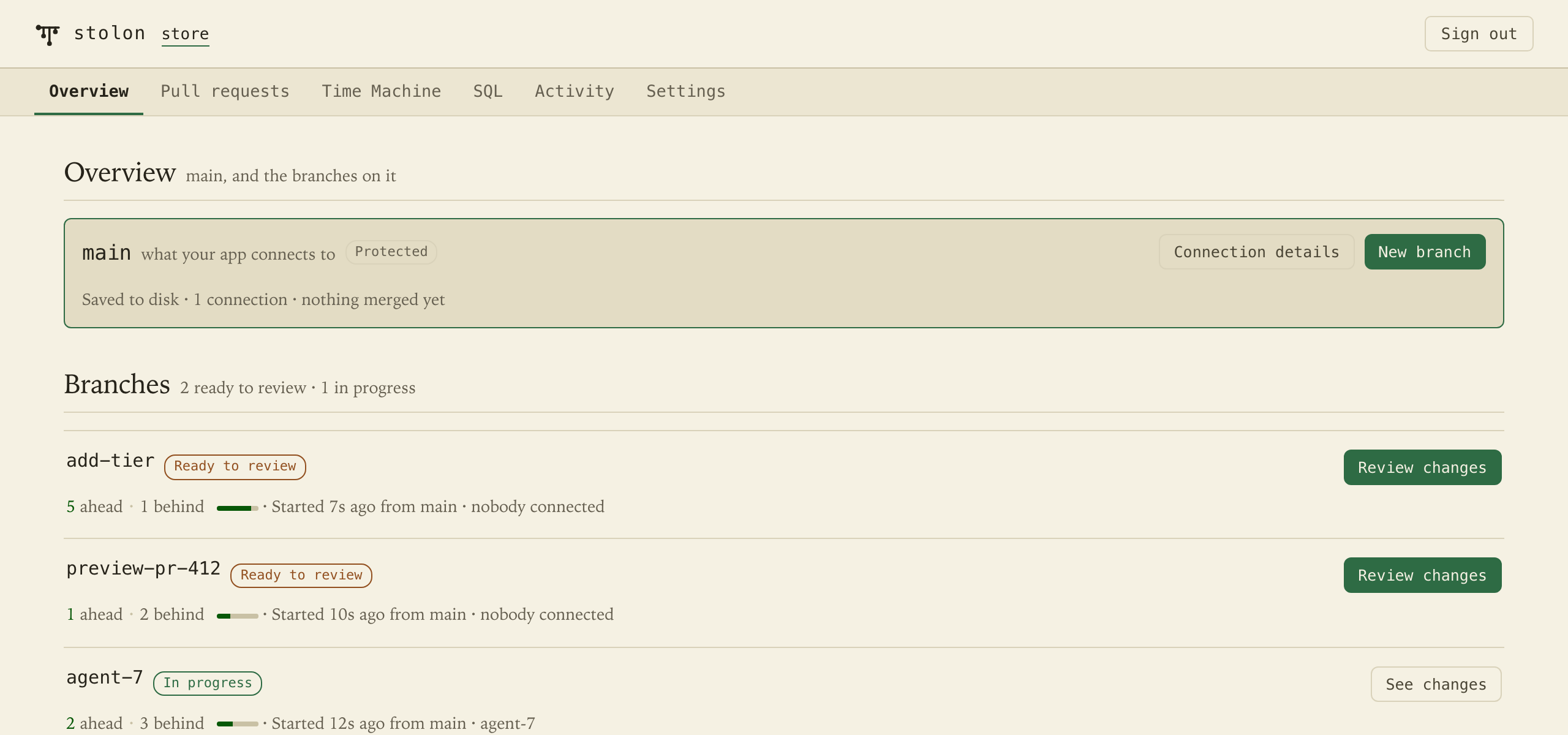
main and its branches. ·
enlarge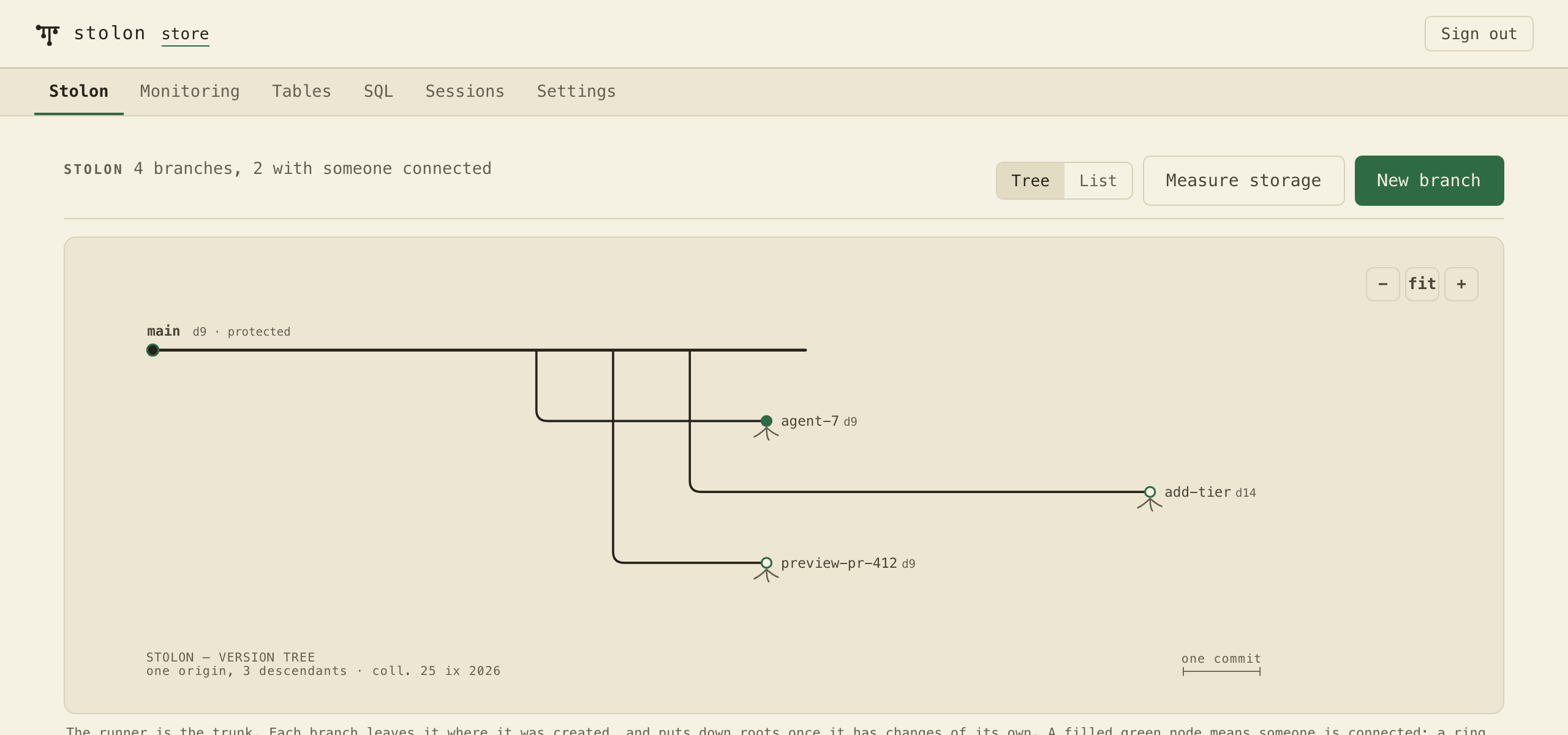
A read token sees branches, the version tree and health;
query also sees rows, history and pull requests.
Deployment
- Hosted. A database we run, with the console and the log shipped off the machine continuously.
- Single-tenant binary. One process, one database, with local credentials, an audit trail and the built-in console.