Get started
Start where you are.
A Stolon database speaks Postgres, and every branch inside it is an instant copy of the database.
Databases are free while Stolon is in preview. Name a database and you get a connection string.
Start freeAlready have an account? Sign in.
Three ways in
Rehearse: you have Postgres and you are keeping it
Import a copy, branch it per migration or per agent, and ship what you keep back to Postgres.
Start here: greenfield, with no upstream
Build something new with Stolon as the system of record.
Move here: you are on a provider and want out
A pg_dump from Neon, Supabase, RDS or Heroku imports. First,
run the compatibility gate against your schema and
queries.
What the first hour looks like
Sign up, name a database, create an app password
Copy the connection line; the password is shown once. The database name is
<database>.<branch>, and the default branch ismain.$ psql "postgresql://app:<password>@db.stolondb.com/acme.main"Load your data
Import a
pg_dumpfrom the console, or create tables from scratch.Branch, and do the frightening thing there
acme.main=> CREATE DATABASE rehearsal; CREATE DATABASE # connect with dbname=acme.rehearsal $ alembic upgrade headReview, then merge
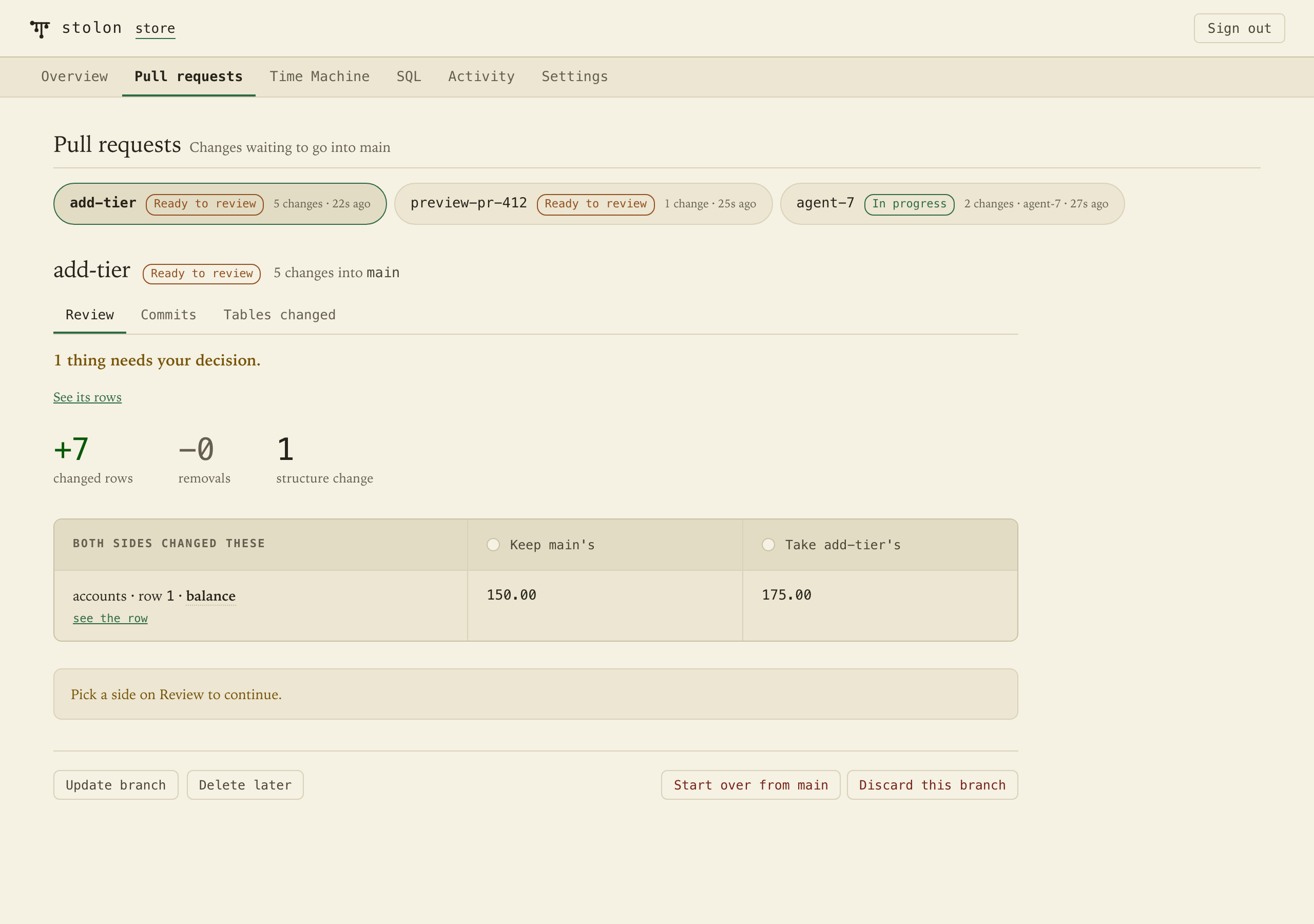
The branch shows up in the console as a pull request. Or from SQL:
acme.main=> MERGE DATABASE rehearsal acme.main-> INTO main DRY RUN; kind | detail ------------------+-------------------------------- conflict | accounts[1].balance, both sides rows to apply | 2 deletes to apply | 0 acme.main=> MERGE DATABASE rehearsal acme.main-> INTO main RESOLVE OURS;
And you can see it
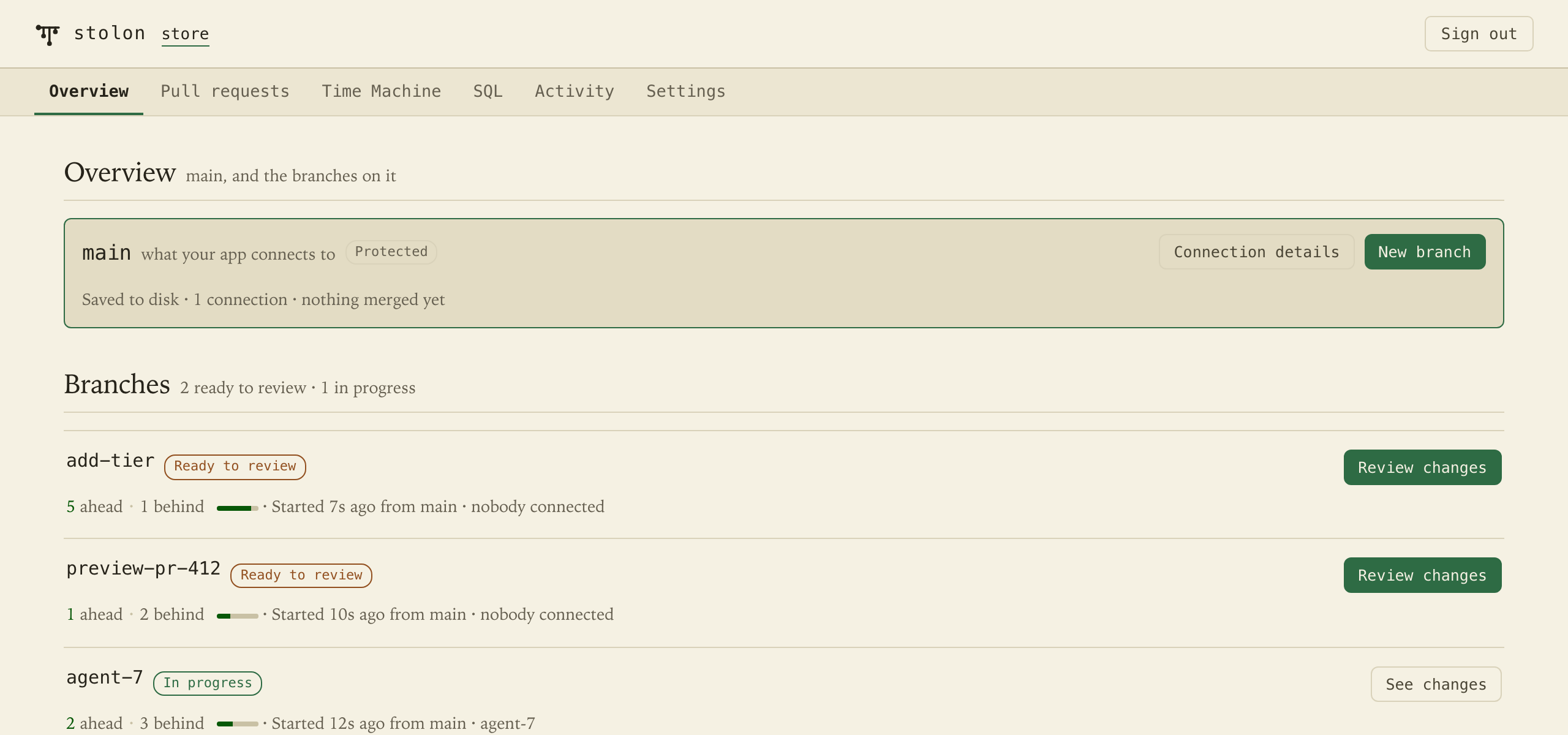
Every database has a console, with pull requests, the Time Machine and a SQL tab.
Durability
Nothing acknowledged is lost to a process crash, kill‑9 or power loss.
What it costs
Throughput and storage held, with no per-branch fees on paid plans. Free in preview. The plans.